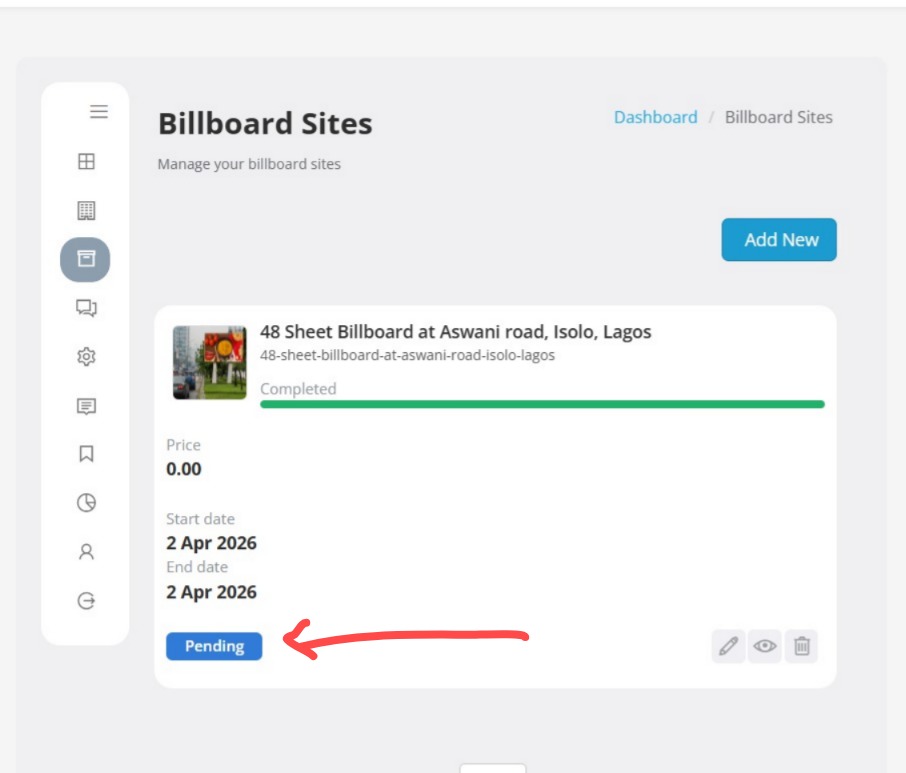
Follow the steps below to list your billboard locations in the directory.
STEP 1
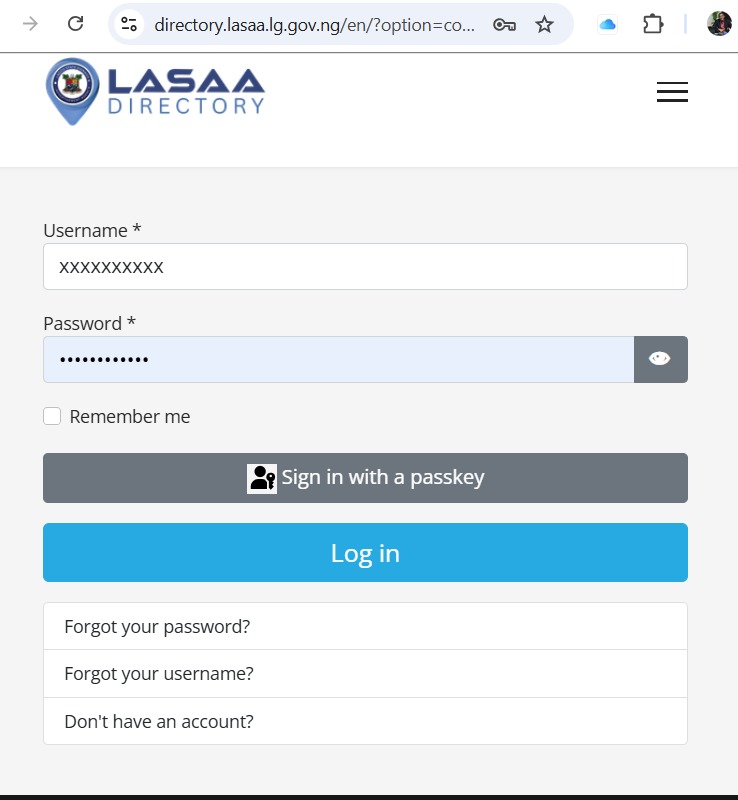
Login to your Practitioner Dashboard
Step 2
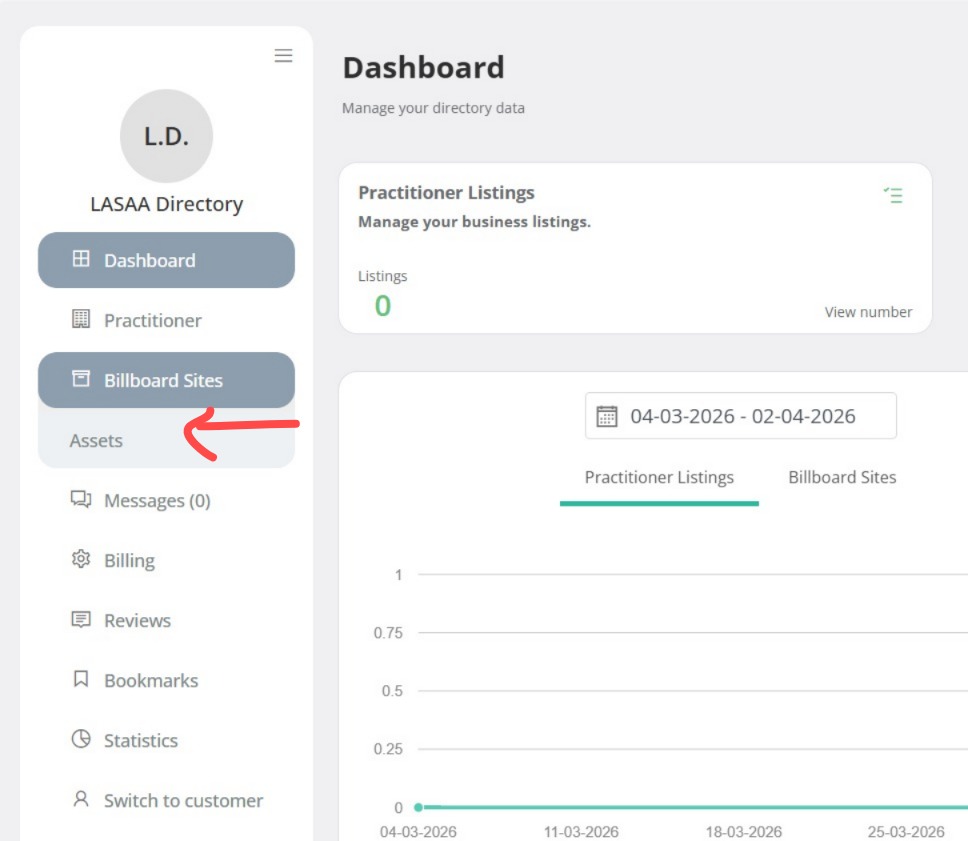
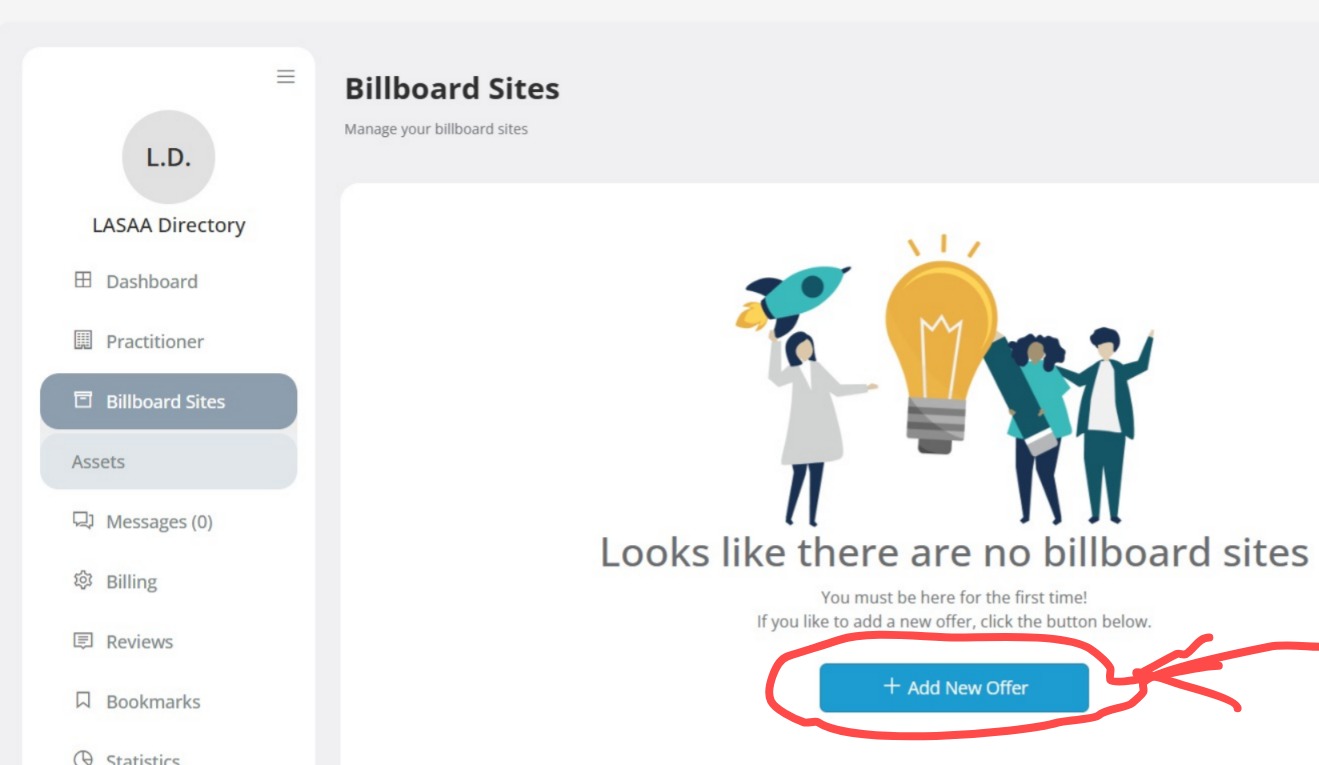
Click on Billboard Assets Menu to start listing your Billboard locatios and details
Step 3
Click on Add New Offers Menu
Step 4
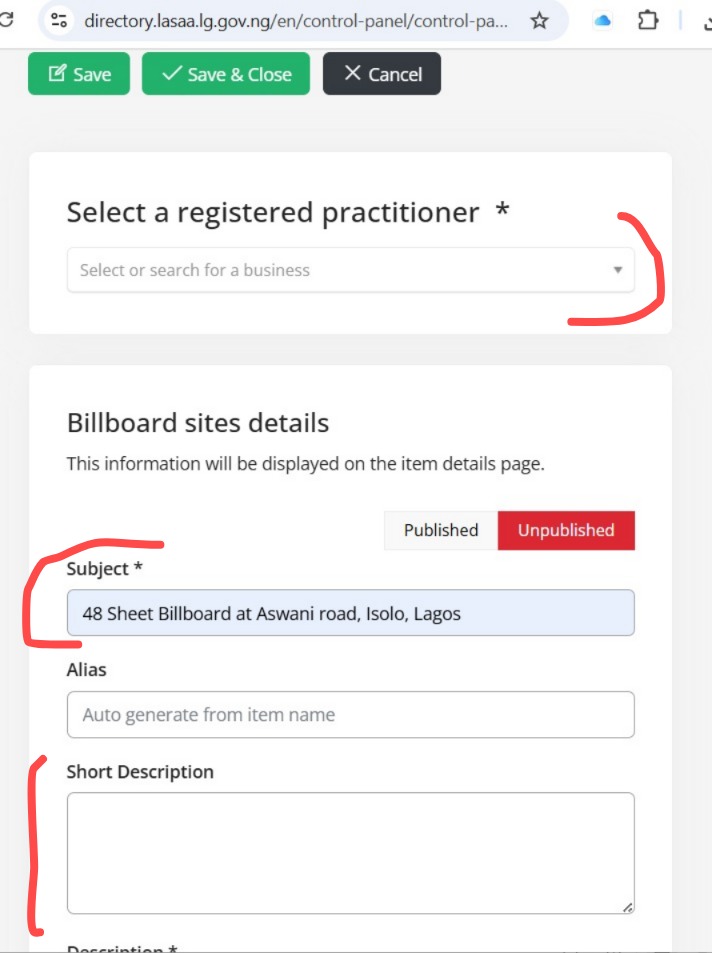
Complete your billboard details by adding a catchy title (e.g., Large LED Billboard at Allen Avenue, Ikeja). Provide a concise description, select the correct billboard type, enter your email, choose the appropriate LGA, and update the start and end year. Also, upload clear location images, include the full address, and provide accurate map coordinates.
Step 5
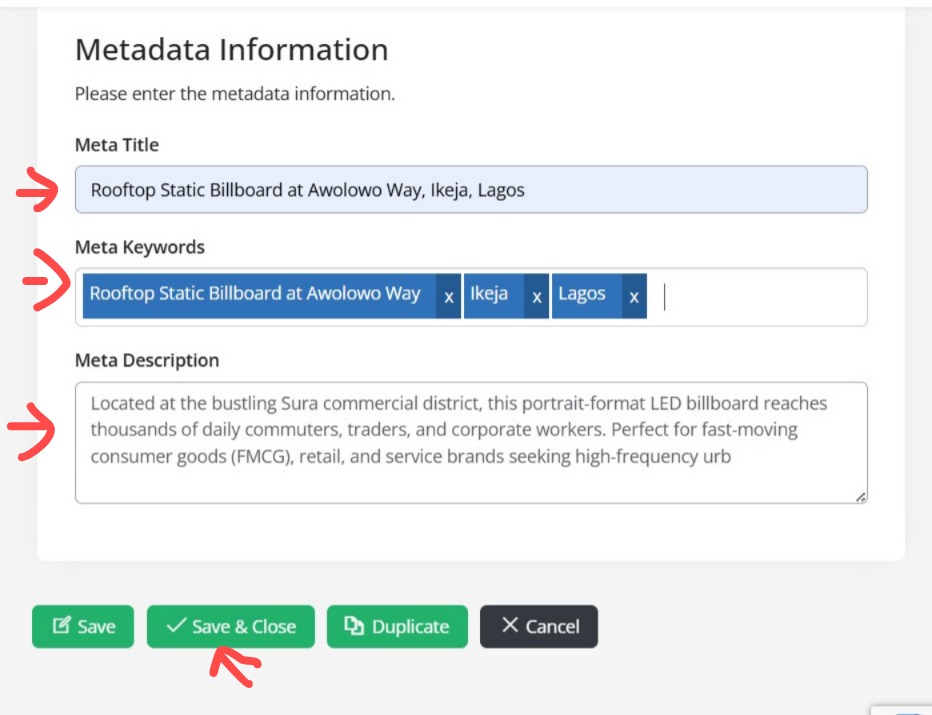
Complete the Meta details to optimize your billboard listing for search engines like Google. Once done, click Save & Close to finalize your listing.
Step 7: To ADD NEW Billboard
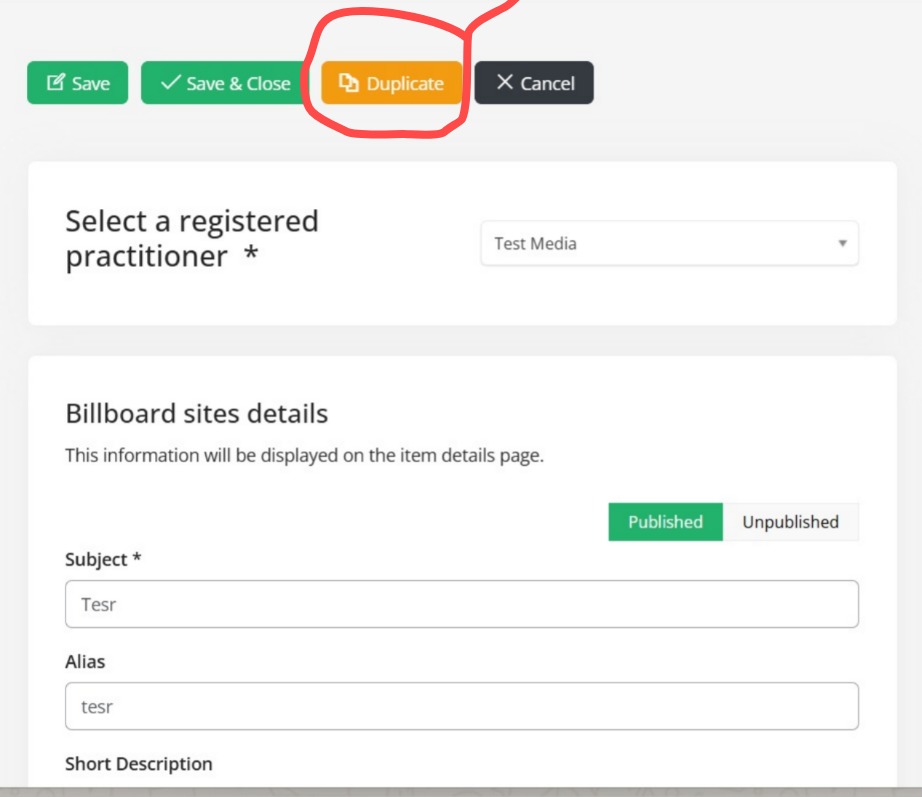
To add more billboard sites, click Add New OR open your last upload and select Duplicate, then follow Steps 1 to 5.